If you're researching managed IT support costs in the UK, you've probably noticed most providers hide their pricing behind a "book a call" button. That's not accidental - every environment is different, and any honest per-user quote depends on your users, devices, security posture and where you are.
This guide gives you the UK-wide ballparks, what should sit inside each tier, and the questions to ask before you sign. For an actual number, you'll want a scoped conversation - ours is short and jargon-free.
What is managed IT support?
Managed IT support is a fixed monthly fee that covers your day-to-day IT - helpdesk, monitoring, patching, security, backups and vendor management - instead of paying an engineer per hour when something breaks.
The model shifted from break/fix to managed for a simple reason: prevention is cheaper than downtime. A properly managed environment stops most incidents before a user notices.
How UK providers price it
Three common models. Most reputable UK providers use per-user pricing because it's the fairest and most predictable.
| Model | Best for | Watch-outs |
|---|---|---|
| Per user, per month | Any SME from ~10 staff upwards | Confirm what "user" includes (mobile? home PC?) |
| Per device, per month | Device-heavy environments (workshops, retail, warehouses) | Costs balloon if users have laptop + desktop + phone |
| Break/fix (hourly) | Micro businesses under 5 staff | Unpredictable, no prevention, no SLA |
Per-user pricing is the industry standard - it aligns the provider's incentive with keeping your users productive, not billing you when things break.
The three tiers of managed IT support
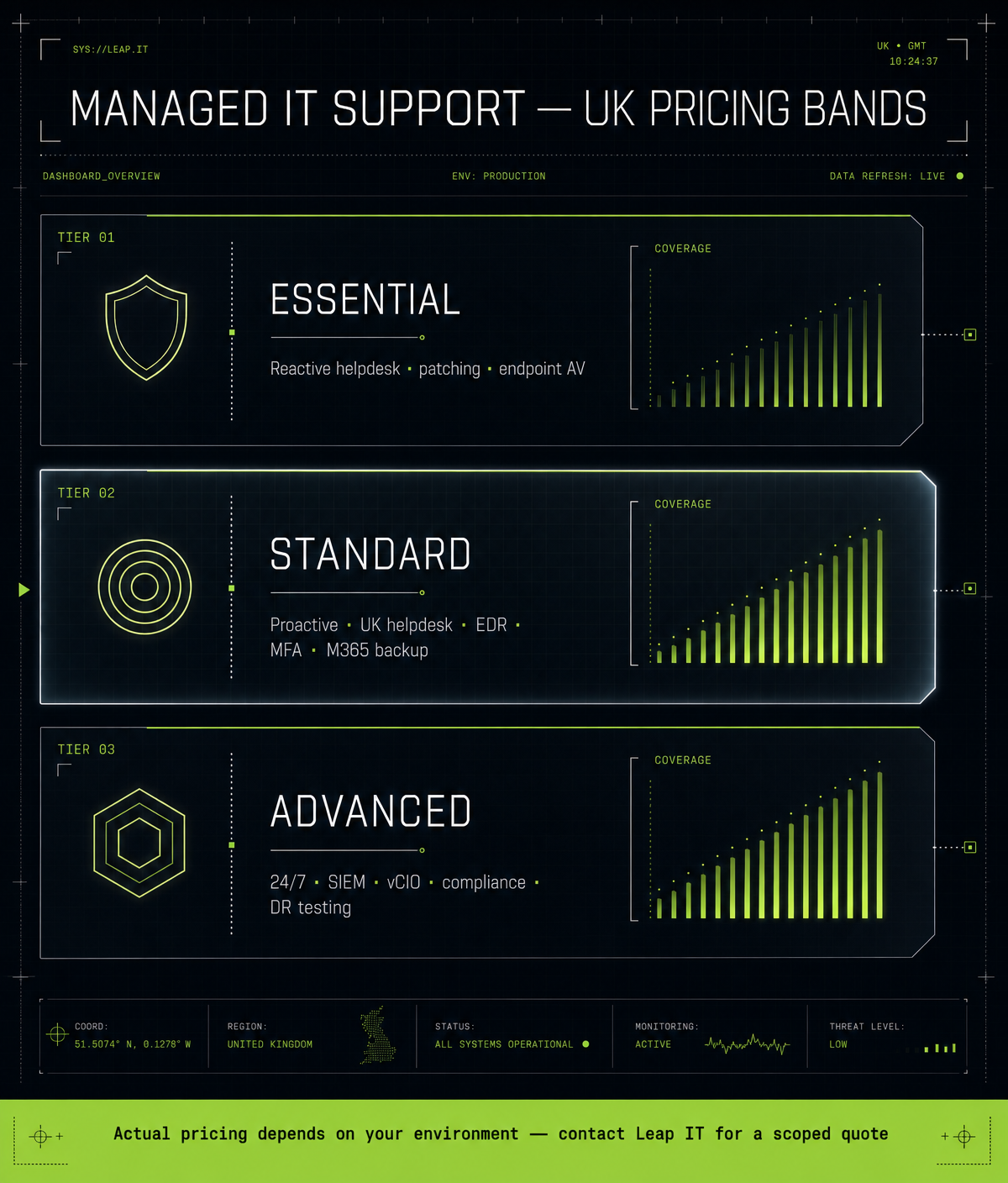
Rather than throwing per-user pounds at you (which will be wrong for your situation anyway), here's what each tier of the UK market typically bundles.
Essential tier
Suitable for very small teams with low complexity and no regulatory obligations.
- Business-hours helpdesk (email + phone)
- Remote support only, no onsite
- Basic endpoint antivirus
- Windows and Microsoft 365 patching
- Basic cloud backup for OneDrive/SharePoint
- Monthly ticket summary, no strategic reviews
Standard tier
Where most UK SMEs land - enough coverage for a professional services or trades business.
- 8:30-17:30 UK helpdesk with SLA response times
- Remote and onsite support included
- Next-gen endpoint protection (EDR, not just antivirus)
- Patch management for OS and third-party apps
- Multi-factor authentication rollout and enforcement
- Microsoft 365 backup (separate from Microsoft's replication)
- 24/7 monitoring and automated remediation
- Quarterly account review with roadmap
- Vendor liaison (ISP, printer, line-of-business apps)
Advanced tier
Appropriate for regulated industries (legal, finance, healthcare) or businesses handling sensitive client data.
- Everything in Standard, plus:
- 24/7 helpdesk with rapid response
- Advanced threat protection (SIEM, threat hunting, DNS filtering)
- Cyber Essentials Plus support and audits
- Named account manager and virtual IT director (vCIO)
- Disaster recovery testing (not just backup)
- Compliance support (GDPR, ISO 27001, SRA, FCA)
What actually drives the price
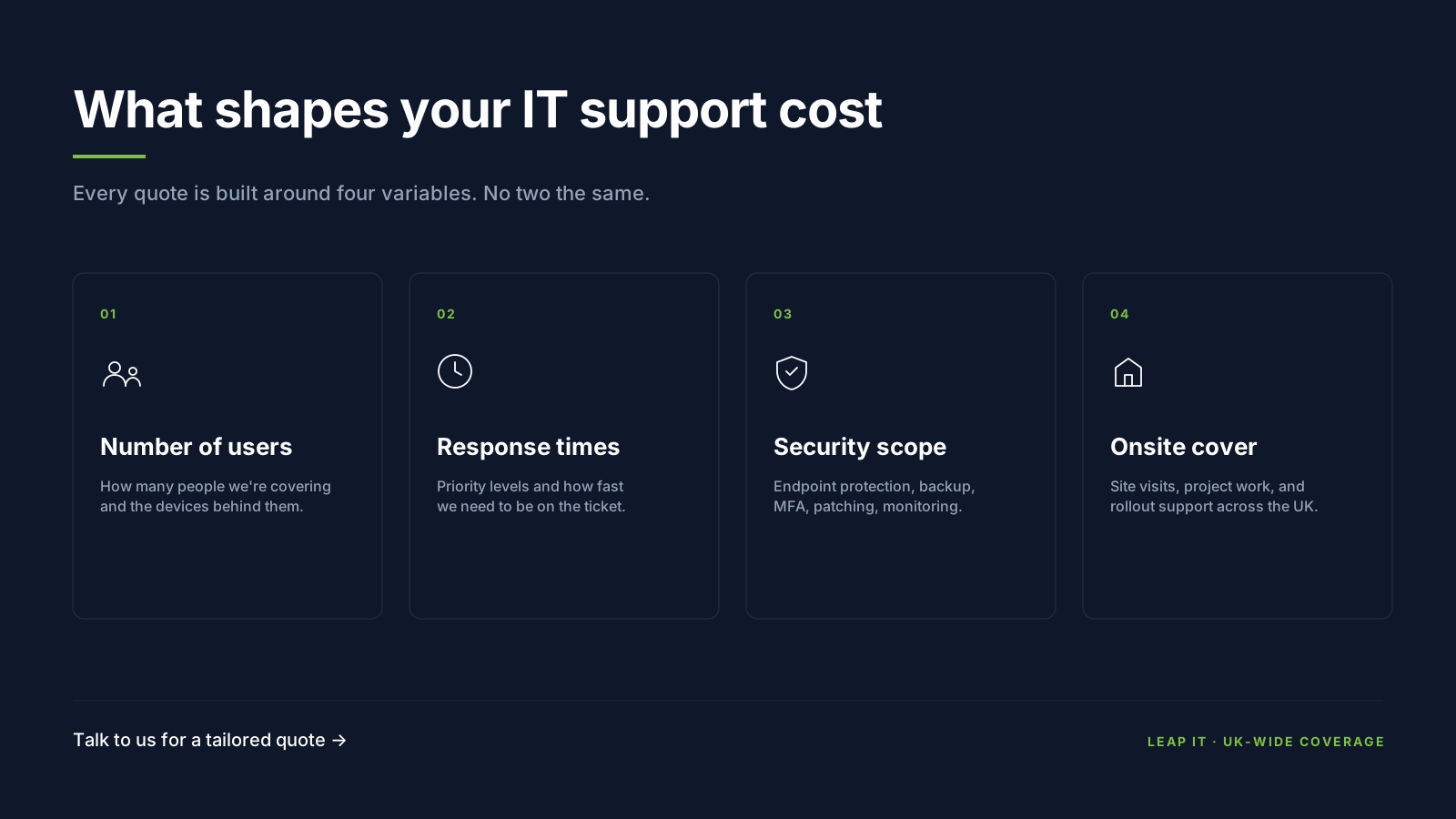
Two identical-looking businesses can be quoted very different numbers. The real drivers:
- User count - very small teams pay a premium per head; economies of scale kick in as you grow.
- Environment complexity - on-premises servers, bespoke apps, or split cloud/on-prem push cost up.
- Security posture required - regulated sectors need EDR, MDR, SIEM and formal reviews.
- Response time SLAs - faster response promises cost more to staff for.
- Location coverage - multiple sites or a mix of office and home workers add monitoring and travel.
- Onboarding condition - inheriting a neglected environment means the first months are heavier.
What's usually NOT included
Even in a good managed contract, these sit outside the monthly fee. Ask early so you don't get surprised:
- Microsoft 365 or Google Workspace licences - billed at cost + a small admin margin
- Hardware purchases - laptops, servers, phones (usually a small procurement fee)
- Project work - migrations, office moves, server upgrades
- Third-party software licences - antivirus, backup, RMM
- Out-of-hours emergencies on lower tiers
- New user onboarding may be charged as a small setup fee
Managed IT support vs in-house IT
Hiring a single in-house technician is a significant fixed cost once you factor in salary, employer overhead, tools, training and holiday cover. Even before any of that, one person can only cover business hours - there's no monitoring stack, no security tooling, no depth, and no cover when they're off.
For most SMEs, the same spend buys a fraction of the coverage you'd get from a managed provider. The crossover usually happens somewhere north of 80 staff, and even then most businesses run a hybrid - in-house IT manager plus a managed provider for infrastructure, security and out-of-hours.
7 questions to ask before signing a contract
- Is it an actual IT company with a real team - or a front company? More and more "UK MSPs" are a sales shell with call loggers up front and the real engineering staff sat in another country. Ask to visit the office, meet the engineers, and see the helpdesk. If they get vague, that's your answer.
- Is your helpdesk UK-based, and what hours? Offshore night-desk cover is common but often quiet.
- Is onsite included, and within what response time? "Onsite available" often means charged extra.
- What's included vs charged as a project? Get the exclusions list in writing.
- What's your average response and resolution time - with evidence? Not the SLA, the actuals.
- What security tooling is included? EDR, MFA, patching, backup - named products, not "advanced protection".
- Can I speak to a client of similar size and sector? Real references separate proper providers from the noise.
How we quote at LeapIT
We support over 400 businesses across the West Midlands with a UK-based helpdesk that averages an 11-second wait time. Every engagement follows the same four-step process:
- Planning and Strategy - we discuss your needs and challenges, understand your business and create a tailored IT strategy.
- Customised IT Plan - we design solutions tailored to your business goals, discuss requirements, and plan the implementation.
- Seamless Implementation - our experts handle everything, minimising disruption while we transition your systems (typically 7-14 days with zero downtime).
- Ongoing Support - 24/7 monitoring, regular updates and proactive problem-solving to keep your IT running smoothly.
Because the number depends entirely on your users, sites, security requirements and current state, we don't publish a price list. Get in touch for a scoped quote.
Frequently asked questions
How much does IT support cost per user per month in the UK?
It varies significantly by size, sector and security requirements. UK providers generally quote per user, per month. For an accurate figure for your business, get in touch for a scoped quote.
Is managed IT support cheaper than hiring an in-house IT technician?
For most businesses under ~80 staff, yes. A single technician is a large fixed cost that only buys business-hours cover with no monitoring stack, security tooling or specialist depth.
What's the difference between managed IT support and break/fix?
Managed IT support is a fixed monthly fee that includes prevention, monitoring and unlimited support. Break/fix is charged per hour when something goes wrong - no prevention, no monitoring, no SLA.
Are Microsoft 365 licences included in IT support?
Usually not. Licences are billed separately, typically at cost plus a small administration margin. Your provider handles the licensing; the licence itself is your cost.
How long are IT support contracts?
Terms vary. At LeapIT we work on flexible contracts rather than long lock-ins. Always read the exit clause before you sign, whoever you go with.
What should I do if my current IT support feels expensive?
Get a like-for-like second quote - same user count, same tooling, same SLAs. Most of the time the issue isn't the headline price, it's scope creep on projects or paying for a tier you don't use.
Getting a quote from LeapIT is straightforward. We'll ask about your user count, environment and current pain points, then send back a clear per-user price with everything listed line by line.
